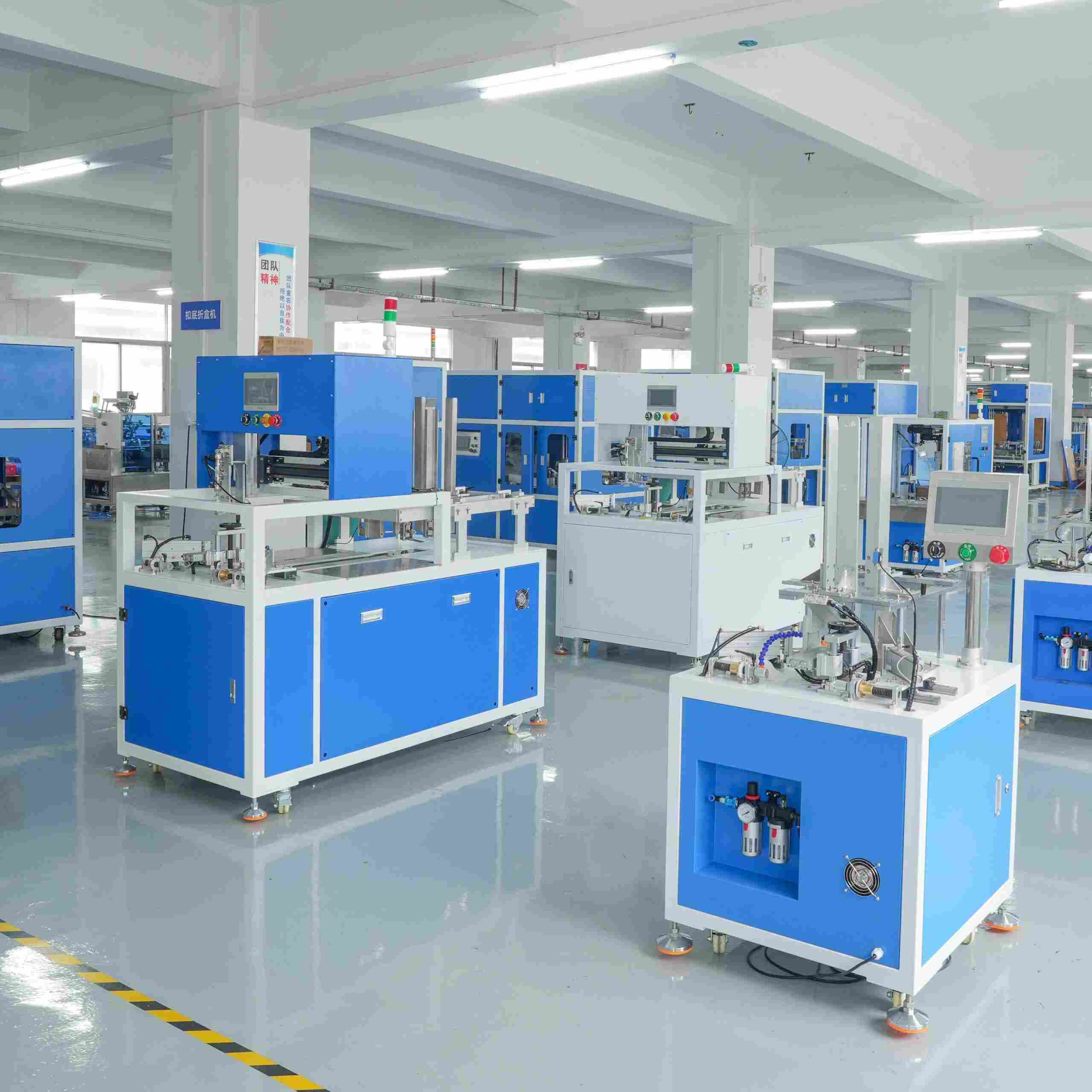
Quick answer: When a carton erector jams, misfeeds, or builds out-of-square boxes, work the fault in one fixed order: vacuum and suction cups first, then belts and folding guides, then sensors and glue timing, and the board last. The cause is usually a worn cup, a clogged filter, or a drifting sensor, not the part that gets blamed first. Read the HMI and PLC inputs before you pick up a wrench, because guessing through a carton erector troubleshooting call costs more in downtime than the repair.
At 2 a.m. on a Tuesday, an erector on a retail carton line stops cold. The operator clears the jam, restarts, and ten minutes later it stops in the same spot. By morning the machine has been tapped, nudged, and “fixed” four times, and nobody has looked at the vacuum gauge once. That loop is what a disciplined carton erector troubleshooting routine is built to prevent.
Most carton erector troubleshooting is a discipline problem wearing mechanical clothes. Crews reach for the most visible part instead of following the fault down its real chain, and on a packed line every wrong guess is paid for in cartons that are not moving.
The scope here is narrow on purpose. This article stays on the machine and control side: vacuum, suction cups, belts, guides, sensors, and the glue path, plus how to read HMI and PLC data so you stop guessing. If your problem traces back to the board, its moisture or storage, that root cause lives elsewhere and we will hand you over. Keeping those two apart is the first decision in any carton erector troubleshooting job.
By the end you will have a symptom-by-symptom lookup, a way to change one variable at a time, and a short routine that moves a line from firefighting to prevention.
First, sort the machine fault from the board fault
Before any box of spares gets ordered, answer one question: does the erector misbehave on every batch of blanks, or only on some? That single check cuts your carton erector troubleshooting search in half.
If it runs clean on one pallet and jams on the next, the machine is probably fine and the board is not. Broken scores, crushed edges, curl in the stack, or blanks that feel soft and clammy point at the board and how it was stored. We keep that full story in a separate guide, so start with board moisture and storage if the symptoms follow the pallet. Settle that question before you sink hours into carton erector troubleshooting from the machine end.
If instead the machine faults at the same point in its cycle no matter which blanks you load, you are chasing a machine or control fault, and that is the territory of this article. Confirm it by running the same batch that jammed on another shift, or on a sister machine. Faults that travel with the board belong to the board. Faults that stay with the machine are yours to fix.
One caveat: vacuum gets over-diagnosed because it is easy to blame and hard to see. Check the gauge and the filter before you order cups; many “vacuum faults” turn out to be a dirty filter, a loose hose clamp, or a cracked fitting.

Five symptoms and the carton erector troubleshooting chain behind each
These are the five faults that fill most maintenance logs, and what actually drives each one. Work every chain top to bottom: the cheap, likely cause sits first and the expensive, unlikely one sits last, so you rarely reach the end before you find the problem. Treat it as a carton erector troubleshooting checklist you can follow, not a set of opinions.
Symptom 1: It will not pick up, or it lifts two blanks at once
Weak pickup and double-sheet feed look like opposites, but they usually share one root, and it is the single most common cause in carton erector troubleshooting: vacuum never reaches the blank properly, or it reaches where it should not.
Start with the level. Many carton erectors for paperboard run in a reported range of roughly -0.4 to -0.6 bar (about 12 to 18 inHg) at the cup, with corrugated case erectors often set higher. Those are reported industry ranges, not guaranteed values for your machine. If the gauge reads low, chase the leak first: cracked cups, perished rubber, a split hose, a leaking rotary union, or an air filter clogged with paper dust.
If vacuum holds but the blank will not come, look at the cups. Worn cups lose their lip and seal poorly, and a swollen cup can grab two blanks because it presses too flat. A soft cup that grips coated board well can be the wrong choice on dusty recycled stock.
Then check geometry. The stack must sit square and level, with the front blanks fanned slightly so air slips between them. A leaning stack, or a back-stop set too tight, forces the cup to fight friction instead of lifting one sheet, among the most overlooked carton erector misfeed causes.
Want to see how a clean pickup sequence is set up on a current machine? Explore the automatic carton erector →
Symptom 2: The box forms, but it comes out out-of-square
Out-of-square cartons are the symptom buyers fear most, because they fail somewhere else downstream and the erector takes the blame for a fault that may have started at folding.
The squaring station comes first. If the squaring bars, guides, or fingers are out of adjustment, every box inherits the error. Confirm the box is held square when the bottom flaps fold, not just at the start of the stroke.
Next, belt and drive wear. On a machine that carries the blank by belt, a stretched or glazed belt slips under load, so the box is carried slightly rotated and folds crooked every cycle.
Then the pneumatics. A sluggish cylinder, a kinked air line, or a solenoid slow to shift makes the fold start late. On a fast machine, a late fold turns into a crooked fold. Recoil is a related gremlin: when the pusher fires, an out-of-square box often points at cushioning or speed settings that let the blank bounce before it settles.
A plant near Hanoi chased this for a week. Boxes came off the erector taped and looking fine, yet they jammed at the case packer twenty meters downstream, and the crew kept retensioning the tape head. The real fault was a squaring finger that had worked loose by a few tenths of a millimetre, tilting every bottom enough to twist the box.
Symptom 3: A corner will not fold, or the bottom flap hangs
When a corner refuses to tuck, or a bottom flap hangs half-closed, the fault usually sits where score quality meets fold hardware.
On the machine side, run a finger along the folding rail and the tuck fingers. Rails wear into a groove, and a groove means the flap no longer follows a clean path. Burrs, dried glue, or a bent finger will catch a flap and hold it. Replace or dress these parts; a filed-down rail is a temporary fix that returns as a jam.
Score depth bridges board and machine. A score too shallow lets the flap spring back; one too deep cracks the coating. If scores look wrong across a whole batch, treat it as an incoming material check, not a machine adjustment. Standardised board tests such as TAPPI T 811 and T 822 help you compare incoming lots.
Finally, glue timing on the bottom seal. On hot-melt, glue that fires a fraction late leaves the flap unglued long enough to open. On cold glue, a partly blocked nozzle lays a thin, uneven bead that will not hold. Time the glue event against the fold, and clean the nozzle before changing the pattern.
Symptom 4: Tape breaks, the glue strings, or nothing sticks
Tape and glue faults look messy, but they are among the easier carton erector troubleshooting wins once you know the list.
For tape, start with the blade. A dull or nicked knife will not cut cleanly, so the tape stretches and snaps. Check for a burr and dried adhesive, and confirm the tape runs on the correct side of the guide rollers. Then check tension: a brake set too tight makes the tape fight itself, while one too loose lets it wrinkle.
Then the seal itself. A roller that does not press the tape flat leaves an edge that lifts in transit. And on an out-of-square box, a taped bottom will never look right, so fix squareness before you chase the tape.
For hot-melt, stringing and weak adhesion trace to temperature and nozzle condition. A nozzle below its set point lays a bead that skins over before it bonds, and a partly blocked nozzle strings. Verify the actual melt temperature against the setting, not the display.
Symptom 5: Ghost stops and sensor faults
A machine that stops with nothing visibly wrong is the hardest carton erector troubleshooting call, and it drives crews to distraction. Usually it is a sensor, and the problem is alignment or contamination.
Contamination comes first. Photoelectric sensors dust up with paper fibre until they lose the edge they need, and reflectors collect a film that slowly kills the signal. Wipe the lens and reflector, and confirm the sensor sees what it claims to see. Check mounting too: on a machine that shakes, a sensor can drift a millimetre per shift until it flickers.
Interference can mimic a failure. Two sensors aimed across the same gap can see each other’s beam, and a shiny box face can reflect a beam where it should not go. If the same sensor trips only at high speed, the issue is usually response time, not a bad part.
The mount is the other suspect. A loose bracket lets the whole mount wander, and vibration shakes a marginal signal loose. In a cold or damp plant, condensation on a lens can fog the signal at the start of a shift, which is why some ghost stops vanish by mid-morning.
Let the HMI and PLC point at the fault
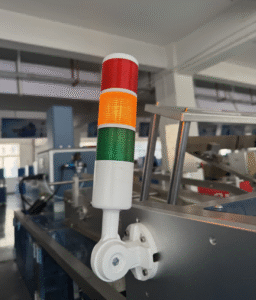
The fastest way to halve a carton erector troubleshooting call is to stop watching the machine and start watching the data. Modern erectors expose far more than most operators ever open on the HMI, and the input and output screens tell you exactly which signal failed and when.
Pull up the digital input list and watch it through one cycle. If a sensor that should be on is off, or a signal that should pulse is stuck, you have your fault without removing a cover. For intermittent faults, use the alarm history and event log rather than trying to catch the glitch live. A ghost stop that happens once an hour is nearly impossible to see in real time, and easy to spot as a pattern in the log: same signal, same point in the cycle, every time.
Two habits make this work. Know what “good” looks like, so write down the normal state of the key inputs during a clean cycle and tape it inside the panel door. And note the machine state at the fault. Mid-cycle, at startup, or right after a speed change? A fault that always follows a speed change points at timing. One that always follows startup points at warm-up or pressure build.
Change one variable at a time
Here is the part most carton erector troubleshooting gets wrong, and it costs crews days. When several people adjust the machine at once, nobody knows which change fixed the fault, so the fix is not repeatable and the problem returns next week.
The method is simple and works on any erector. Record the baseline first: photograph every adjustable guide, note each scale reading, and write down current settings before you change anything. Then change exactly one thing, run thirty or fifty cycles, and count good boxes against bad. If it improves, keep it. If not, put the setting straight back and try the next variable. Never stack two changes into one test. That rule separates real carton erector troubleshooting from tinkering.
This same discipline belongs in the buying process. Before a new erector earns a place on your line, run documented checks on your own blanks, at your own speeds, and confirm what you are actually getting. We cover the pass-or-fail detail in what to test before you buy.
From firefighting to prevention: carton erector troubleshooting on a schedule
Prevention is not a program. It is a short list of checks done on a schedule, written down and signed, instead of remembered. It is also where carton erector troubleshooting stops being a fire drill and becomes routine.
Every shift, the operator does four things: confirm the vacuum gauge reads normal, empty or shake out the filter, check that the magazine stack is square and the cups are clean, and glance at the sensors for dust. It catches most of the faults above before they stop the line.
Weekly, go deeper. Check belt tension and surface, inspect the folding rails and tuck fingers for wear, verify the glue nozzle and its temperature, and test the emergency stops and interlocks. Protect that access: never reach past a guard or hold a safety switch to clear a jam. Standards such as PMMI, the Association for Packaging and Processing Technologies, and the ANSI/PMMI B155.1 packaging machinery safety standard exist for exactly this, and no jam is worth a hand.
Monthly, replace consumables on a fixed schedule rather than on failure. Filters, worn cups, and tired tape blades are cheap parts that cause expensive downtime. A filter changed on a calendar never becomes a 3 a.m. problem.
Repair or replace? Reading the wear line
Every part on an erector eventually crosses from “adjustable” to “worn out,” and knowing which side you are on decides whether an adjustment holds or you just waste an afternoon. Reading that line is where carton erector troubleshooting meets the maintenance budget.
The boundary is usually obvious once you look. A soft suction-cup lip adjusts around; a torn or hardened one cannot. Belts are similar, though a glazed or stretched one is beyond saving. Sensors are trickier: a drifted unit realigns, but one that still flickers after cleaning has a failing element.
Two rules keep you honest. Replace on measured wear, not feel, so a cup past its hour count or with a cracked edge goes whether or not it looks fine today. And when one part in a set fails early, inspect its twins: cups, belts, and sensors installed together tend to fail together, so replacing one while the rest are close behind spreads the downtime across three stops.
A mill in Poland learned this the hard way. Over two months the team replaced suction cups three times on the same erector, treating every stop as a vacuum problem. The actual fix was a cracked fitting behind the panel that bled a little pressure all day. A few dollars of fittings ended the run of repeated cup orders.
When it stops being about a single part, the math changes. If a machine is old enough that you are replacing wear parts every few weeks and still losing output to rejects, the honest answer may be that it has reached the end of its economic life.

Putting it together
Carton erector troubleshooting rewards order, not effort. Sort machine faults from board faults first. Follow each chain from the two-dollar cause to the thousand-dollar one. Let the HMI and PLC name the failed signal. Change one variable at a time, and keep a baseline you can return to. Then hold the line with the shift, weekly, and monthly checks.
None of that needs special tools. Carton erector troubleshooting needs the discipline to look before you loosen.
Whatever is stopping your line, the goal is the same: more good boxes per hour and fewer hands on the machine. When the machine-side carton erector troubleshooting is exhausted and the fault keeps living downstream of the erector, the recovery playbook for a full line is worth knowing, and our team covers how to plan for jam recovery on cartoning lines. See also how the erector fits the packing sequence. If you would rather run an erector built to stay in adjustment, with vacuum and sensor settings specified to your board instead of a generic one, our engineers will work from your blank and line speed to recommend the right configuration.
Start with the gauge and the filter. You will fix more stops than you expect, and spend less than you feared.